Done-review comment
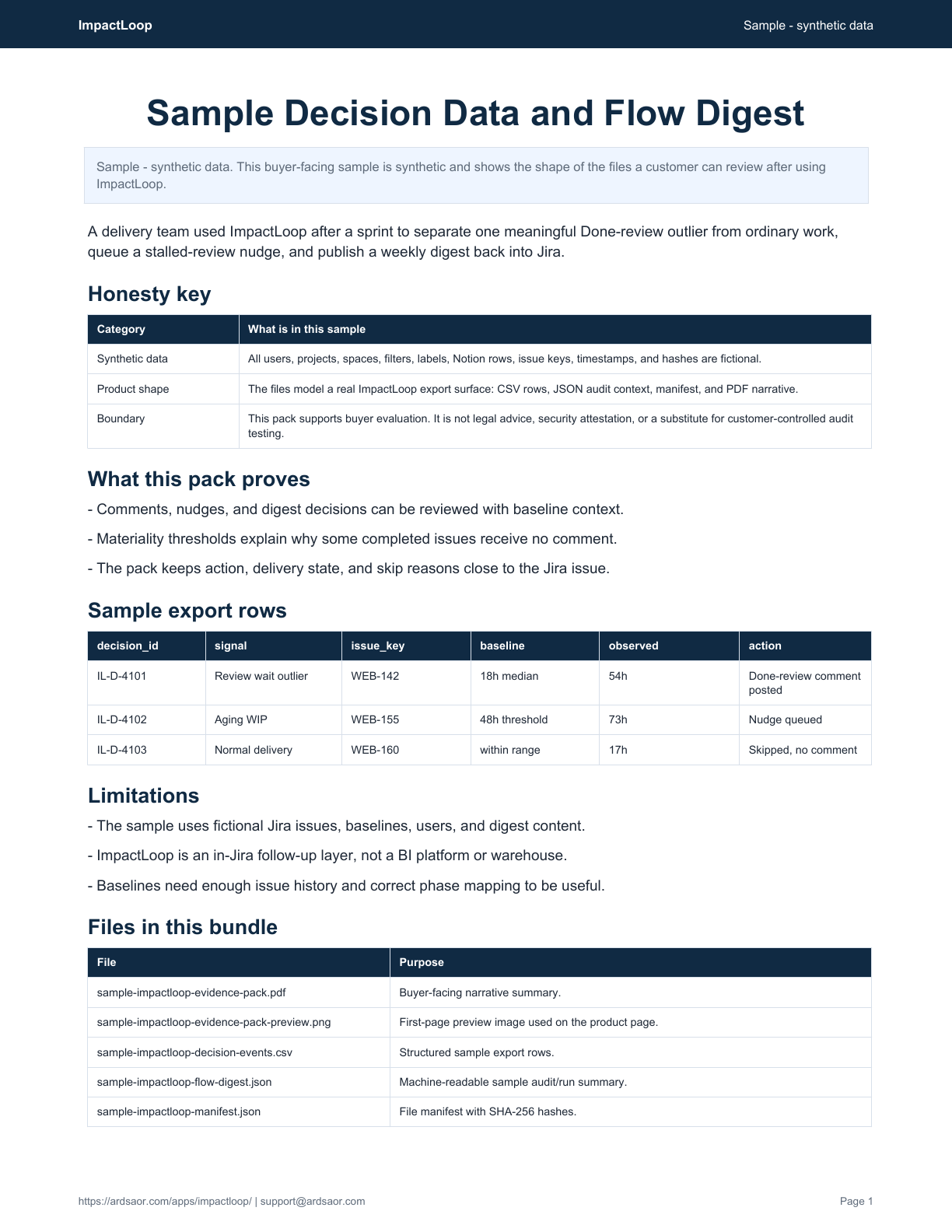
WEB-142 spent 54 hours in review against an 18-hour median. ImpactLoop would post context on the completed issue so the team can discuss the delay during review.

ImpactLoop for Jira flow follow-up
ImpactLoop keeps flow feedback close to the work: Done-review comments for meaningful outliers, stalled-work nudges that can clear when work resumes, and weekly digests posted inside Jira.
Trials, purchase, billing, and exact pricing are handled on Atlassian Marketplace.
Built for delivery leads, scrum masters, and engineering managers who want flow follow-up where the team already works.
Last updated: 2026-06-18
Delivery teams already have dashboards. What gets missed is the follow-up: why this completed issue waited unusually long, which work is aging now, and what summary should be posted back where the team operates.
The buyer-facing output is proof of action: example Jira comments, digest summaries, decision records, baseline context, queued nudges, skipped issues, and auto-clear state.
| Need | Native or manual path | ImpactLoop |
|---|---|---|
| Dashboards report | A dashboard can show which work waited, but the team still has to leave the issue to interpret it. | ImpactLoop posts high-signal Done-review comments on material outliers. |
| Manual follow-up | Scrum masters or delivery leads chase aging work by memory or recurring report review. | Threshold-based nudges can be queued and clear when work resumes. |
| Static metrics | A chart rarely explains why a specific issue did or did not need action. | Decision records show comments posted, nudges queued, and issues skipped. |

WEB-142 spent 54 hours in review against an 18-hour median. ImpactLoop would post context on the completed issue so the team can discuss the delay during review.
WEB-155 passed the configured aging threshold. ImpactLoop would queue a nudge and clear it automatically once the issue moves.
The digest summarizes commented outliers, active nudges, and skipped issues so the team sees what needs follow-up without opening another dashboard.
Sample - synthetic data
A synthetic flow follow-up export showing baseline context, Done-review comment decisions, stalled-work nudges, skipped issues, and weekly digest state.
Best for: Delivery teams that want in-Jira flow feedback rather than another reporting dashboard.
Not for: A broad BI suite, data warehouse, or full portfolio analytics platform.
Use ImpactLoop when the team already has enough dashboards but still needs high-signal Jira comments, stalled-work nudges, and weekly flow summaries that prompt action.
Choose a phase catalog and map Jira statuses to meaningful phases.
Analyze enough issue history to compare new work against project norms.
Flag completed issues whose phase time meaningfully differs from baseline.
Queue threshold-based reminders and clear them when work moves.
Publish lightweight weekly flow summaries in Jira.
No. ImpactLoop focuses on in-Jira action, context, comments, nudges, and digests rather than broad BI reporting.
It posts Done-review comments when configured analysis finds a meaningful time-in-status outlier, not on every completed issue.
Yes. Nudges are threshold-based and can clear automatically when work resumes.
ImpactLoop stores project settings, baselines, decision telemetry, and nudge queue state in Forge storage.
Install from Marketplace
Install ImpactLoop, map one workflow, build the first baseline, and review the comments and digests before tuning thresholds.

Notion to Jira handoff
Create Jira issues from Notion pages and databases with preview-first control.

Jira configuration drift
Catch risky Jira board and saved-filter changes before sprints or reports run against the wrong configuration.
Solution
Teams do not always need another analytics dashboard. ImpactLoop turns Jira issue history into focused comments, nudges, and weekly digests so teams can act on flow signals where the work already lives.