ArdSaor Atlassian app

DriftGuard for Jira

Catch risky Jira board and saved-filter changes before teams lose trust.

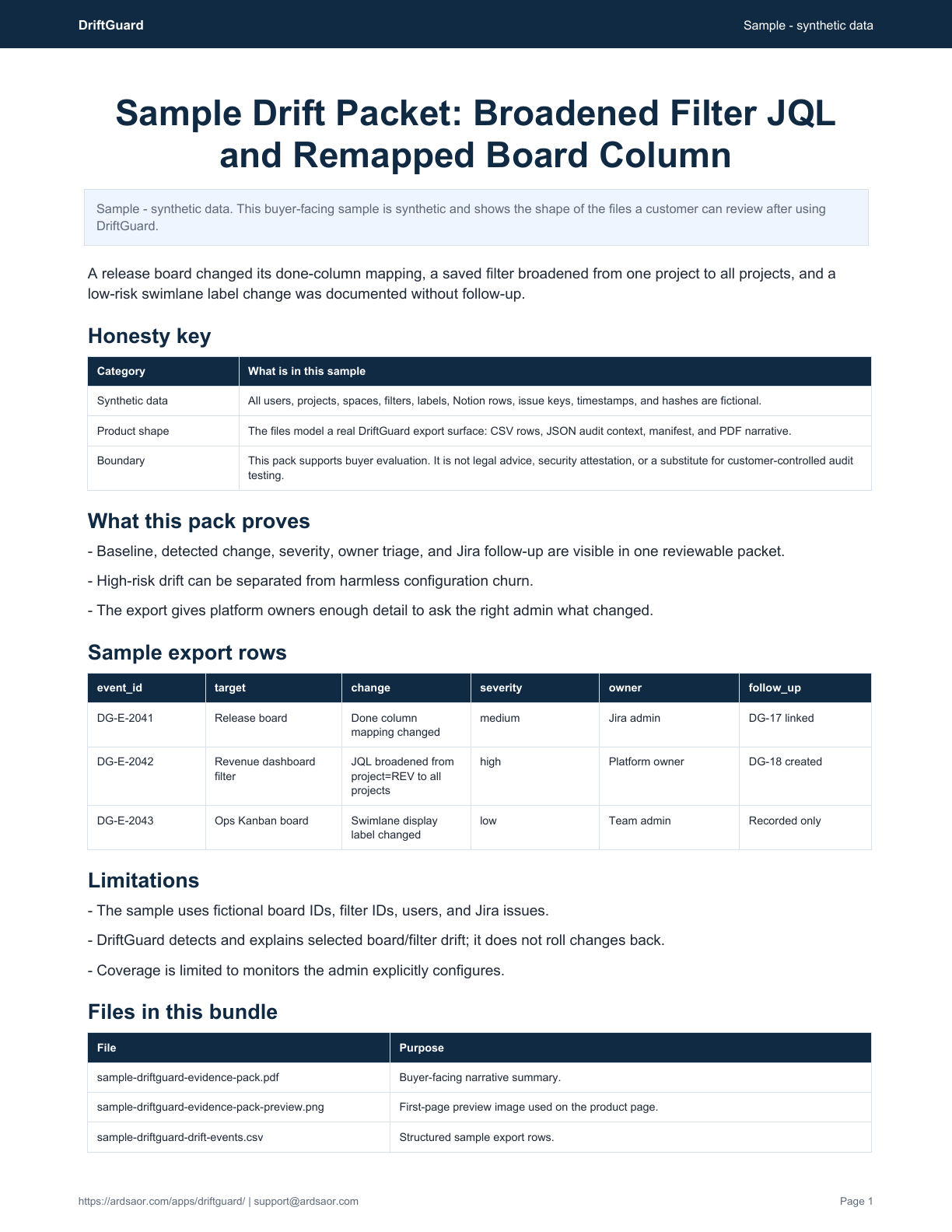
DriftGuard gives Jira admins a lightweight way to monitor selected Jira Software boards and saved filters for meaningful configuration drift. It stores baselines, runs scheduled snapshots, shows a change timeline, and can link or create Jira follow-up issues for risky drift.

Product summary

DriftGuard gives Jira admins a lightweight way to monitor selected Jira Software boards and saved filters for meaningful configuration drift. It stores baselines, runs scheduled snapshots, shows a change timeline, and can link or create Jira follow-up issues for risky drift.

Best for: Jira admins responsible for board and saved-filter governance.

Not for: Backup, rollback, sandbox deployment, migration, or a full configuration-management suite.

Helpful short answer

DriftGuard is an ArdSaor app for Jira configuration drift. It works with Jira Cloud; board monitoring requires Jira Software and is available through the Atlassian Marketplace.

Screenshot

DriftGuard screenshot from the Atlassian Marketplace listing showing Jira board and filter drift monitoring.
DriftGuard change timeline. This product-page image uses the current Atlassian Marketplace listing screenshot in a crawlable page context.

Use cases

  • Watch critical Scrum or Kanban board settings for accidental changes.
  • Detect saved-filter JQL or sharing changes that affect dashboards and reports.
  • Create a Jira-native review trail for configuration changes.
  • Reduce time spent diagnosing why a board, filter, or report changed.
  • Give platform owners lightweight evidence without a large configuration suite.

Core capabilities

  • Monitor selected boards and saved filters rather than every Jira object.
  • Capture baselines and scheduled snapshots.
  • Compare snapshots with human-readable diff summaries and severity.
  • Triage drift with linked Jira follow-up issues where configured.
  • Export or review change history when teams need a control trail.

Typical workflow

  1. 1

    Choose targets

    Select the boards or saved filters that matter to team operations.

  2. 2

    Capture baseline

    DriftGuard stores normalized configuration snapshots for comparison.

  3. 3

    Detect changes

    Scheduled checks compare current configuration against stored snapshots.

  4. 4

    Review diffs

    Admins inspect change summaries, severity, and target history.

  5. 5

    Triage follow-up

    Create or link Jira issues for risky changes that need owner review.

Security, privacy, and support

  • DriftGuard is read-first and stores configuration metadata needed for diffing.
  • It does not read Jira issue content as part of board or filter drift monitoring.
  • The only write path described by the docs is optional Jira issue creation for notifications.
  • App state is stored in Forge storage.

FAQ

Does DriftGuard roll back Jira configuration?

No. DriftGuard monitors selected boards and filters, explains detected drift, and helps admins triage follow-up. It is not a rollback or migration tool.

What does DriftGuard monitor?

The docs describe board configuration and saved-filter metadata such as JQL, owner details, and sharing permissions.

Does it read issue content?

No. DriftGuard is focused on configuration metadata needed to compare snapshots and explain what changed.

Can it create Jira issues?

Yes, optional notifications can create Jira follow-up issues for risky detected changes when configured.

Related ArdSaor apps and solutions

Filter Hygiene screenshot from the Atlassian Marketplace listing showing saved filter cleanup and audit controls.

Saved-filter cleanup

Filter Hygiene

Find risky, stale, invalid, duplicated, and over-shared Jira filters, then clean up safely.

Works with
Jira Cloud
Status
Available on Atlassian Marketplace for Jira Cloud
Access Evidence screenshot from the Atlassian Marketplace listing showing access review findings, reviewer decisions, and evidence pack workflows.

Access reviews and audit evidence

Access Evidence

Run Jira access reviews with remediation tracking and auditor-ready evidence packs.

Works with
Jira Cloud; review workflows can include Jira projects and Confluence spaces as documented
Status
Available on Atlassian Marketplace for Jira Cloud

Solution

Audit Evidence for Jira and Confluence Controls

Audit evidence is easier to trust when it comes from the workflow where the decision happened. ArdSaor apps preserve access review decisions, remediation status, AI access approvals, drift history, and supportable exports in Jira-native workflows.

Explore this solution

Solution

Jira Admin Cleanup and Governance

Jira admin work often fails in small places: stale filters, globally shared reports, label sprawl, and silent board changes. ArdSaor apps focus on these concrete cleanup and governance jobs with previews, audit records, and Forge-first architecture.

Explore this solution