
Jira label cleanup
Label Doctor
Find duplicate Jira labels, preview safe merges, and keep cleanup undoable.
- Works with
- Jira Cloud
- Status
- Available on Atlassian Marketplace for Jira Cloud

TaskPort for Notion-to-Jira handoff
TaskPort creates Jira issues from selected Notion pages and database rows. Paste the source, map fields, preview every row, and create only the work that should move.
Trials, purchase, billing, and exact pricing are handled on Atlassian Marketplace.
Built for PMs, team leads, and operators who plan in Notion and execute in Jira.
Last updated: 2026-06-18
Teams plan in Notion and execute in Jira, so handoff becomes copying, reformatting, and deciding what is safe to create. Always-on sync can be worse when it writes surprises into Jira.
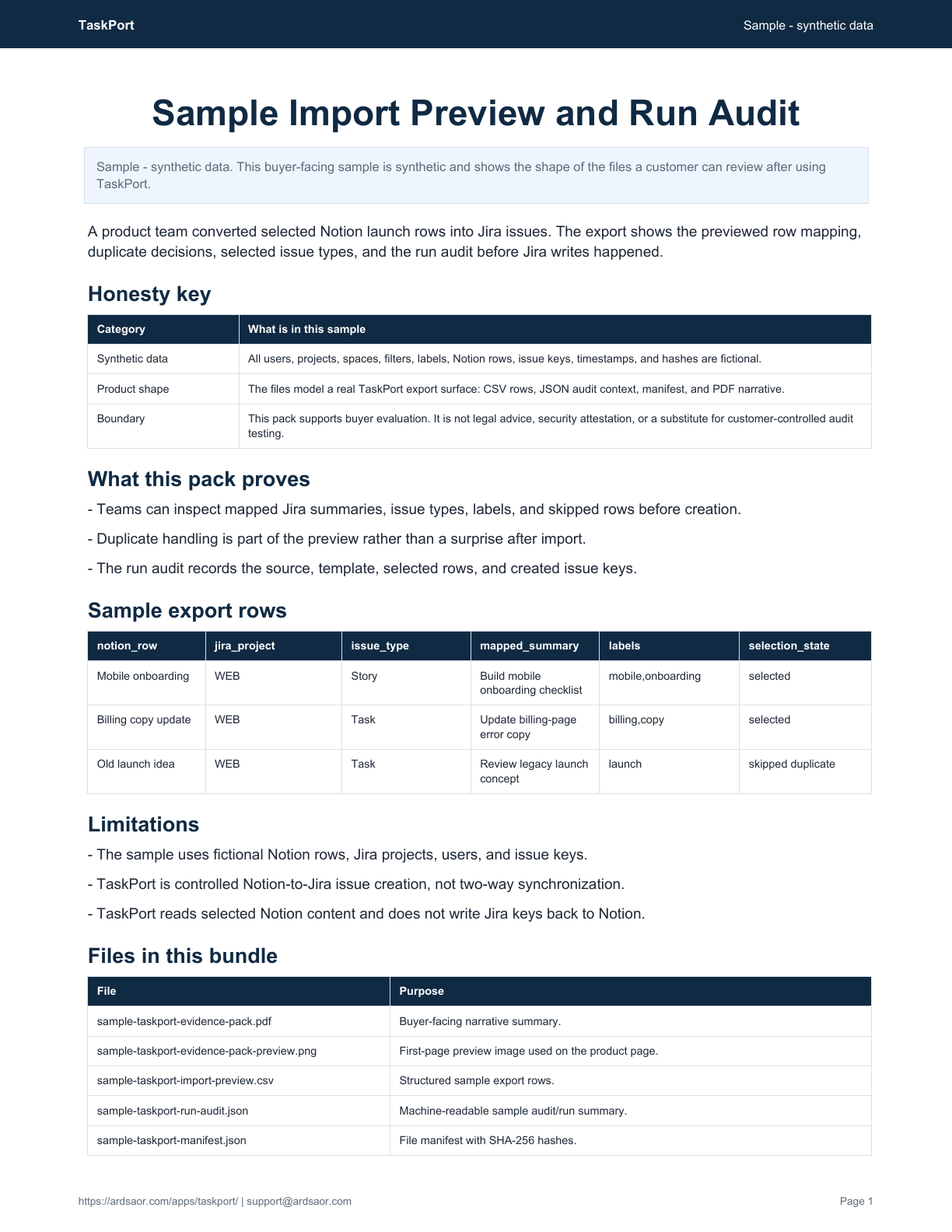
The buyer-facing output is an import preview and run audit: source row, mapped Jira fields, selected/skipped state, duplicate handling, and created issue keys.

Sample - synthetic data
A synthetic Notion-to-Jira run showing mapped rows, duplicate handling, selected issue types, created keys, and the no-writeback boundary.
Best for: Teams that plan in Notion but execute in Jira and want controlled issue creation.
Not for: Two-way synchronization or a background sync engine unless those features are explicitly added later.
Use TaskPort when planning starts in Notion but execution needs to land in Jira without copy-paste drift, duplicate issue creation, or surprise background writes.
Authorize TaskPort for the Notion workspace or selected pages and databases.
Use a Notion page or database URL as the import source.
Apply Jira project, issue type, labels, templates, and field mappings.
Review the exact Jira issues TaskPort proposes before creation.
Start controlled Jira issue creation and keep run history.
No. TaskPort creates Jira issues from Notion content you select and approve. It does not run background sync or write Jira issue keys back to Notion.
Yes. TaskPort lets users preview mapped rows and select what should become Jira issues.
No. TaskPort reads selected Notion content and writes approved Jira issues. It does not stamp Jira keys back into Notion or run a two-way sync.
Connection status, template mappings, filter presets, run history, and audit logs are stored for the workflow.
Install from Marketplace
Install TaskPort, authorize the Notion source, preview mapped rows, and create only the Jira issues your team approves.
Jira label cleanup
Find duplicate Jira labels, preview safe merges, and keep cleanup undoable.

Jira flow signals
Turn Jira time-in-status signals into Done reviews, nudges, and weekly digests.
Solution
Teams often plan in Notion but execute in Jira. TaskPort gives them a controlled handoff: paste a Notion link, map fields, preview rows, and create only the Jira issues they approve.